
How to unlock every Banana Cat weapon
The first six weapons unlock through cumulative object destruction; the other six unlock by clearing specific rooms. Weapon unlocks are free. Coins buy damage upgrades for the whole arsenal, rather than individual guns.
Each destroyed breakable object adds 10 growth points immediately. You do not need to collect an experience pickup. The original six also have room-clear unlocks, listed below. Either route grants the design; a room-clear unlock does not itself advance the shared growth meter.
| Weapon | Unlock | Desktop key | Main use |
|---|---|---|---|
| Teardrop Pistol | Available at the start | 1 | Steady single shots |
| Banana Blaster | 2 objects / 20 points, or clear room 2 | 2 | Pierce two targets in line |
| Popcorn Shotgun | 18 objects / 180 points, or clear room 5 | 3 | Six-pellet spread |
| Soda Sprayer | 40 objects / 400 points, or clear room 8 | 4 | Rapid twin shots |
| Can Rocket | 75 objects / 750 points, or clear room 11 | 5 | Direct hit and nearby splash |
| Rainbow Laser | 125 objects / 1,250 points, or clear room 15 | 6 | Pierce a longer line |
| Yarn Bouncer | Clear room 6 | Shift + 1 | One deliberate bank shot |
| Bubble Tea Blaster | Clear room 10 | Shift + 2 | Slow ordinary walking |
| Fishbone Returner | Clear room 14 | Shift + 3 | Outward and returning hits |
| Candy Minelayer | Clear room 18 | Shift + 4 | Trap a pursuer's route |
| Feather Chain Wand | Clear room 22 | Shift + 5 | Link a nearby group |
| Sunflower Charger | Clear room 26 | Shift + 6 | One charged shot |
Use the 30-room directory to find your next unlock. A room counts as cleared after all breakable objects and all finite enemies are defeated, including later entrants and boss reinforcements. Merely entering the room is not enough.
Which weapon should you use?
Choose for the shape of the encounter. An early weapon still uses your current shared damage upgrades, so switching to the pistol or blaster can be useful even after you unlock the full arsenal.
| Situation | Try | What to watch |
|---|---|---|
| Objects or cats line up in a clear lane | Banana Blaster or Rainbow Laser | Piercing helps only before the shot meets furniture. |
| A group is close together, but not in a straight line | Can Rocket or Feather Chain Wand | Splash and chain links need an unobstructed path between targets. |
| A target sits beyond a useful flat furniture edge | Yarn Bouncer | Aim the bounce yourself; corners absorb the shot. |
| Ordinary cats are walking toward you | Bubble Tea Blaster or Candy Minelayer | Slow is limited to walking; a mine needs time to arm. |
| A close target fills much of your spread | Popcorn Shotgun | Stay outside its attack warning; six pellets do not guarantee six hits. |
| You have a clear opening after an attack | Sunflower Charger | Allow time to charge and recover; keep moving while aiming. |
| No enemies remain, but the object counter is unfinished | Teardrop Pistol, Soda Sprayer or another direct weapon | Mines will not trigger from objects alone. |
For boss encounters, the shield dog's facing and attack recovery matter as much as weapon choice. For furniture-heavy rooms, read how to open a firing angle before trying to shoot through an obstacle.
Switch weapons and control your aim
Desktop: use keys 1–6 for the original six and Shift + 1–6 for the room-clear weapons, or choose an owned weapon in the Arsenal. Aim with the pointer and hold fire for ordinary shooting. After a manual switch, release and press fire again. Switching has a brief delay and does not erase a weapon's cooldown.
Touch: the normal fire button uses auto-aim. It looks for a nearby shootable heart first, then an available cat, then a breakable object. A target must be in range and visible. Auto-aim does not predict a ricochet. Touch the battlefield directly for manual aiming; with Yarn Bouncer or Sunflower Charger, dragging the held fire button also sets a direction.
Candy Minelayer uses placement: click a legal point on desktop. On touch, drag the placement button and release, or touch a battlefield point and release there. A tap on the placement button without a drag does not plant a mine. See the special weapon control guide for the complete movement and touch instructions.
Opening the Arsenal pauses the battle. Looking at or equipping a weapon keeps it paused. Quality and refinement purchases require the active attempt to end; pausing alone does not make those purchases available.
Teardrop Pistol
STARTER WEAPON · KEY 1
The pistol fires one projectile at a time, at six shots per second. Its 560-unit range gives you more reach than the shotgun, sprayer, rocket or laser, which each have a 460-unit range. Use it to pick off a visible leftover object or to keep a simple firing line while moving.
It does not pierce or explode. If several targets stand behind one another, Banana Blaster uses that arrangement more effectively. The pistol is still strengthened by your current growth stage, quality and refinement; choosing it never resets your progress.
Banana Blaster
2 OBJECTS OR ROOM 2 · KEY 2
The blaster fires continuous single shots, rather than a three-shot burst. Each projectile can hit up to two targets along its path. Its 600-unit range and slightly faster rhythm than the pistol suit an open lane containing a cat and a breakable object behind it.
Move until both targets line up before firing. A second target must actually cross the projectile's path; piercing does not curve toward it or pass through fixed furniture. If your targets are clustered to the side instead, compare the rocket's splash with the wand's chain links.
Popcorn Shotgun
18 OBJECTS OR ROOM 5 · KEY 3
Six pellets leave together in a narrow fan. The Arsenal lists damage per pellet, so the number you see is not automatically six guaranteed hits on one target. At a long distance, more of the fan can pass around a small target; at a shorter distance, more pellets can overlap it.
Use a clear close-range angle without stepping inside a warning circle or slash sector. The shotgun reaches 460 units and does not pierce. Against a target that keeps forcing you away, the longer-reaching blaster can be easier to keep on line. Learn the different cats' attack warnings before trading safe space for a tighter spread.
Soda Sprayer
40 OBJECTS OR ROOM 8 · KEY 4
The sprayer releases two close-set projectiles per trigger, with a rapid firing rhythm. Keep a target in front of you while moving laterally; the small spread helps keep the pair close without requiring a shotgun approach.
Its shots have a 460-unit range and stop on contact rather than piercing. A stream of shots striking a counter will not eventually break the counter. Reposition using the difference between cover and breakable objects, then resume firing from the open side.
Can Rocket
75 OBJECTS OR ROOM 11 · KEY 5
A rocket creates an explosion when it hits a target. Other targets within its 136-unit splash radius take 60% of the direct-hit damage, provided there is a clear line from the impact. The directly struck target does not receive a second copy of its own splash damage.
Aim at a reachable target in a group, rather than expecting an explosion on furniture to clear everything behind it. The rocket fires more slowly than the rapid guns and has a 460-unit range, so a missed shot leaves a larger gap between impacts. It is a useful way to exploit close groups of objects while keeping room to dodge.
Rainbow Laser
125 OBJECTS OR ROOM 15 · KEY 6
The laser fires a rapid stream of piercing pulses. It is not a continuous beam. Each pulse can pass through up to eight direct targets, making a straight, unobstructed lane its most useful setup.
Its 460-unit range is shorter than the pistol's and blaster's. Move around furniture before lining up a row of targets: even a piercing pulse stops at cover. Reaching the later growth milestones does not add two more weapon types; Growth VII and VIII increase shared firepower for all twelve.
Six weapons earned by clearing rooms
These designs add different ways to aim and position. They unlock automatically after rooms 6, 10, 14, 18, 22 and 26, without a coin purchase. An eligible returning save receives the weapons for its completed rooms while keeping its selected gun.
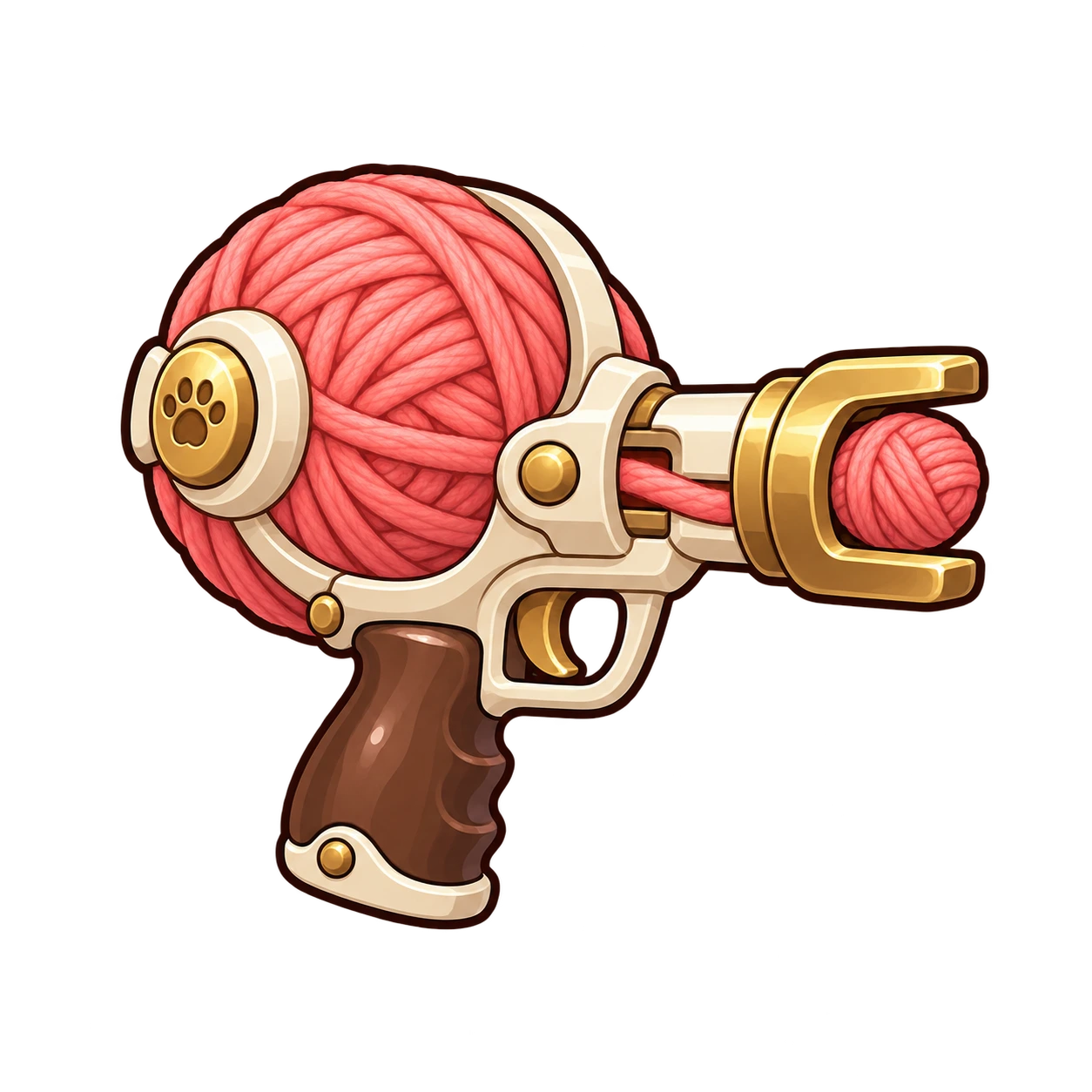
Yarn Bouncer
CLEAR ROOM 6 · SHIFT + 1
A yarn ball can bounce once from a flat edge and retains 80% of its damage after that bounce. A corner or a second wall absorbs it. The projectile has a total travel range of 620 units; the bounce does not grant a fresh full-length flight.
Aim at a flat furniture edge so the reflected path reaches the target. Auto-aim looks for a direct visible target and does not plan this shot. On touch, drag the held fire button to choose the direction or aim directly on the battlefield. If the reflected path clips a second obstacle, reposition before firing again. The cover guide explains why an open route matters.
Picture guide: aim for a flat edge
Check both halves of a bank shot: the route to the furniture and the route after the bounce. The yellow trail shows the ball’s recorded path. A cross marks where the shot is absorbed.
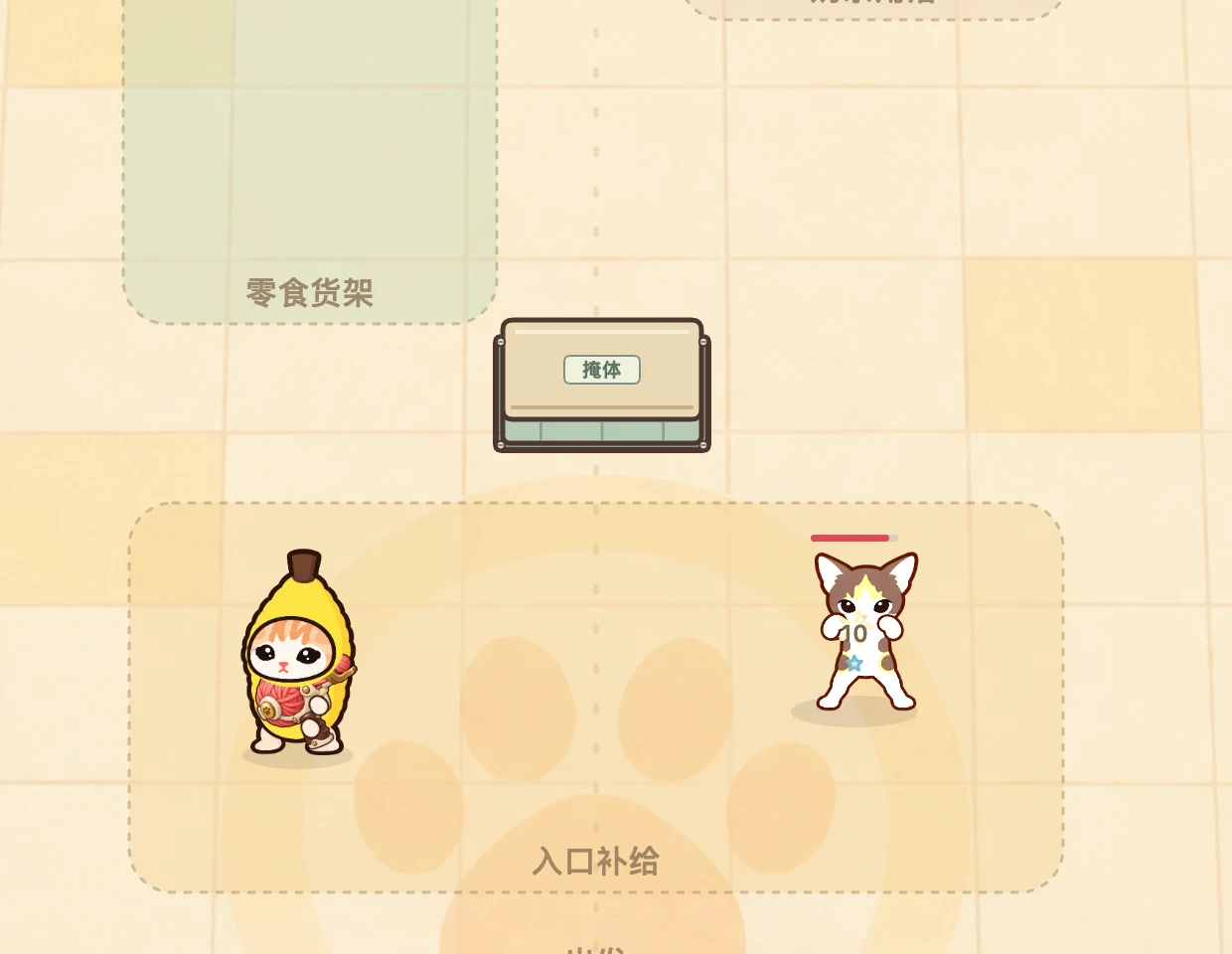
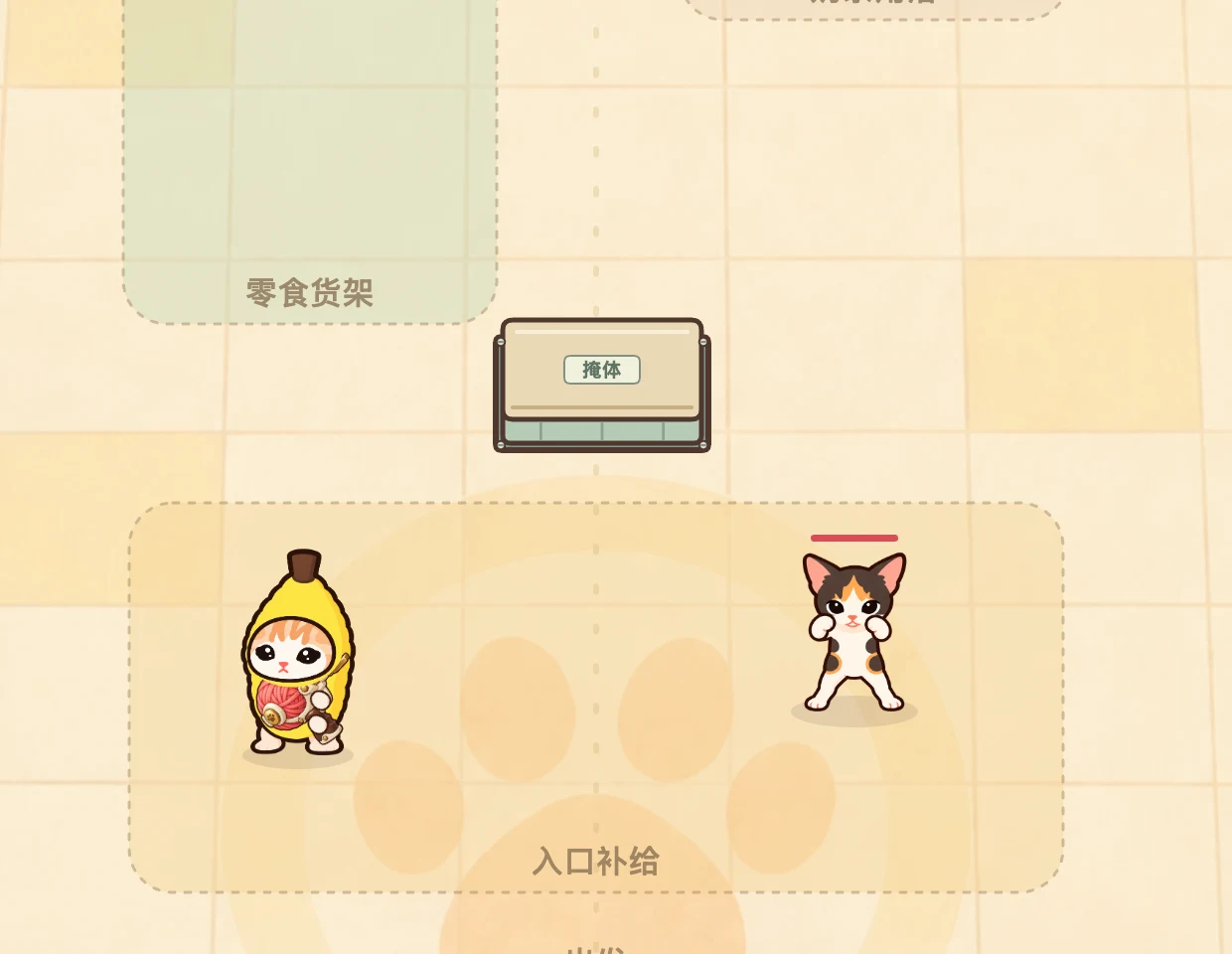
Try it: Stand where you can see a flat face. Aim at a point away from its corners, then check that the reflected lane has no second obstacle. Keep the whole route short: the 620-unit allowance includes both legs.
Desktop: equip with Shift + 1, release fire after switching, then point at the flat edge and fire. Touch: drag the held fire button to set the direction, or aim on the battlefield. Normal auto-aim does not plan a bounce.
For a target with no useful bounce lane, move around the furniture to open a direct shot.
Controlled mechanic demonstration using the current game’s furniture, weapons and collision rules. Targets are held still with 100 demonstration HP; the weapon is pre-equipped. Trails show the recorded shot over the final frame, not a normal room-clear run.
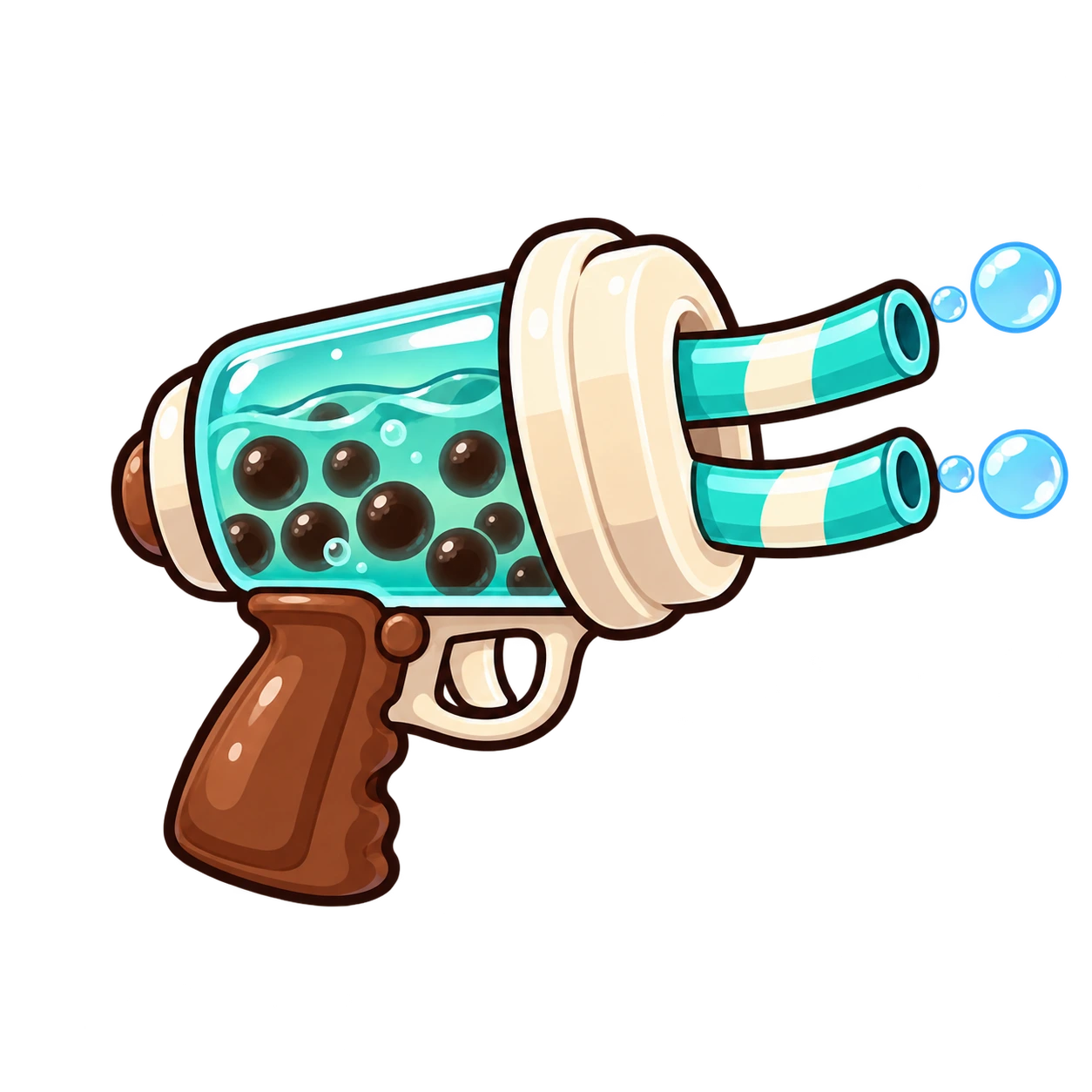
Bubble Tea Blaster
CLEAR ROOM 10 · SHIFT + 2
A damaging bubble slows an ordinary enemy's walking by 20% for 1.2 seconds. Another hit during the active slow does not extend it. This can give you time to move away from a pursuer or establish a clearer shot.
The effect does not slow bosses, charges or attack warnings. Keep dodging a marked attack even when the cat has been hit. The weapon has a 420-unit range and one projectile per shot, so it is a control option rather than a way to pierce a whole group. Read the Didi attack notes and black cat jump warning to separate ordinary movement from attacks you still need to evade.
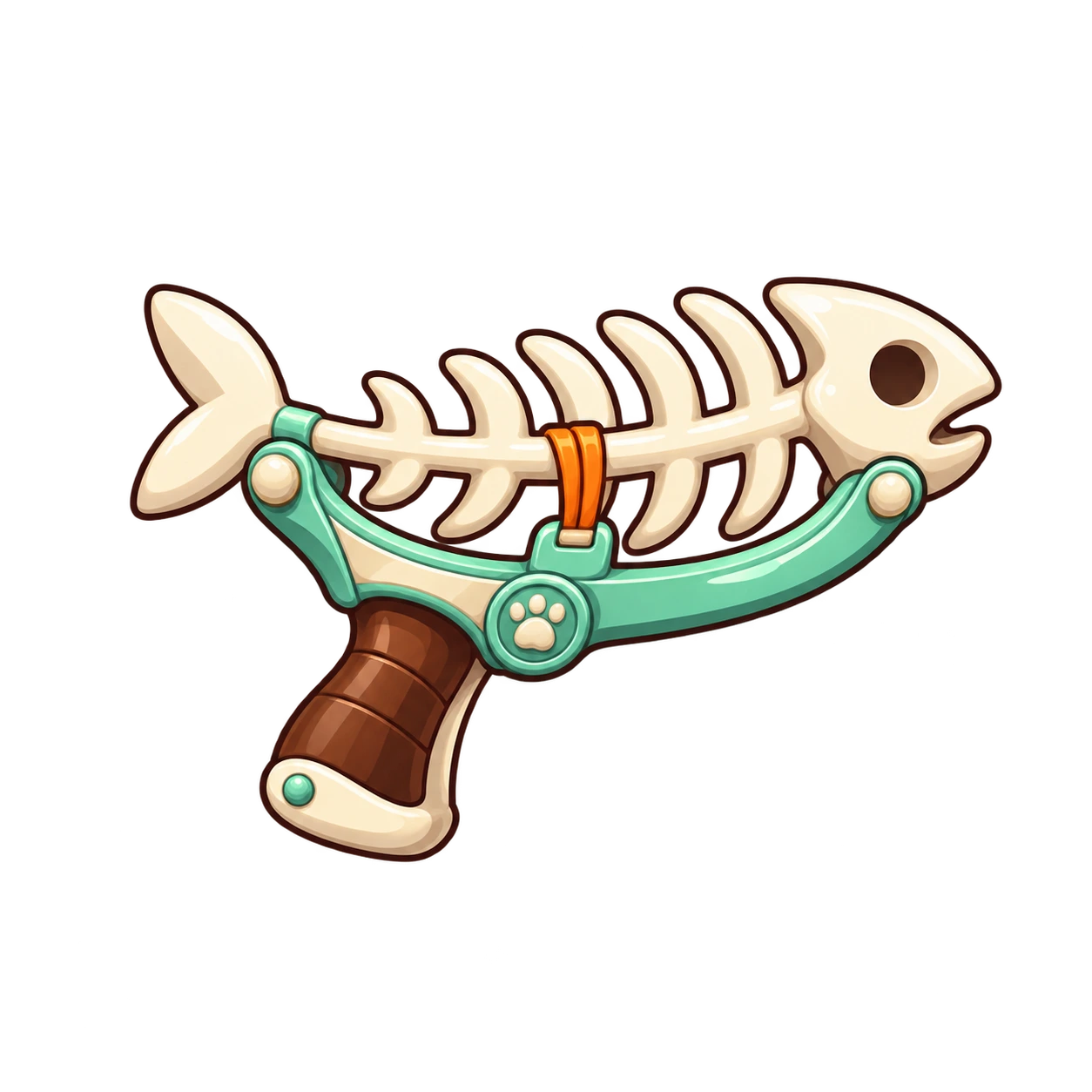
Fishbone Returner
CLEAR ROOM 14 · SHIFT + 3
The fishbone travels outward for 300 units, then returns toward you. It can hit up to two targets on the outward leg and two on the return. A target can be hit once per leg, so a carefully aligned return can strike a survivor again.
Move sideways after the outward throw to change the return path. Only one fishbone can be active at a time, and furniture absorbs it on either leg. Leave a clear route back instead of hiding behind a counter and expecting the returning shot to pass through. If you need uninterrupted fire while changing lanes, switch to a direct weapon after the throw.
Picture guide: leave a clear return lane
The fishbone turns toward your current position after its outward flight. Yellow marks the outward trail; blue marks the return. Your movement changes where that blue trail goes. The white dotted line marks the player’s movement.
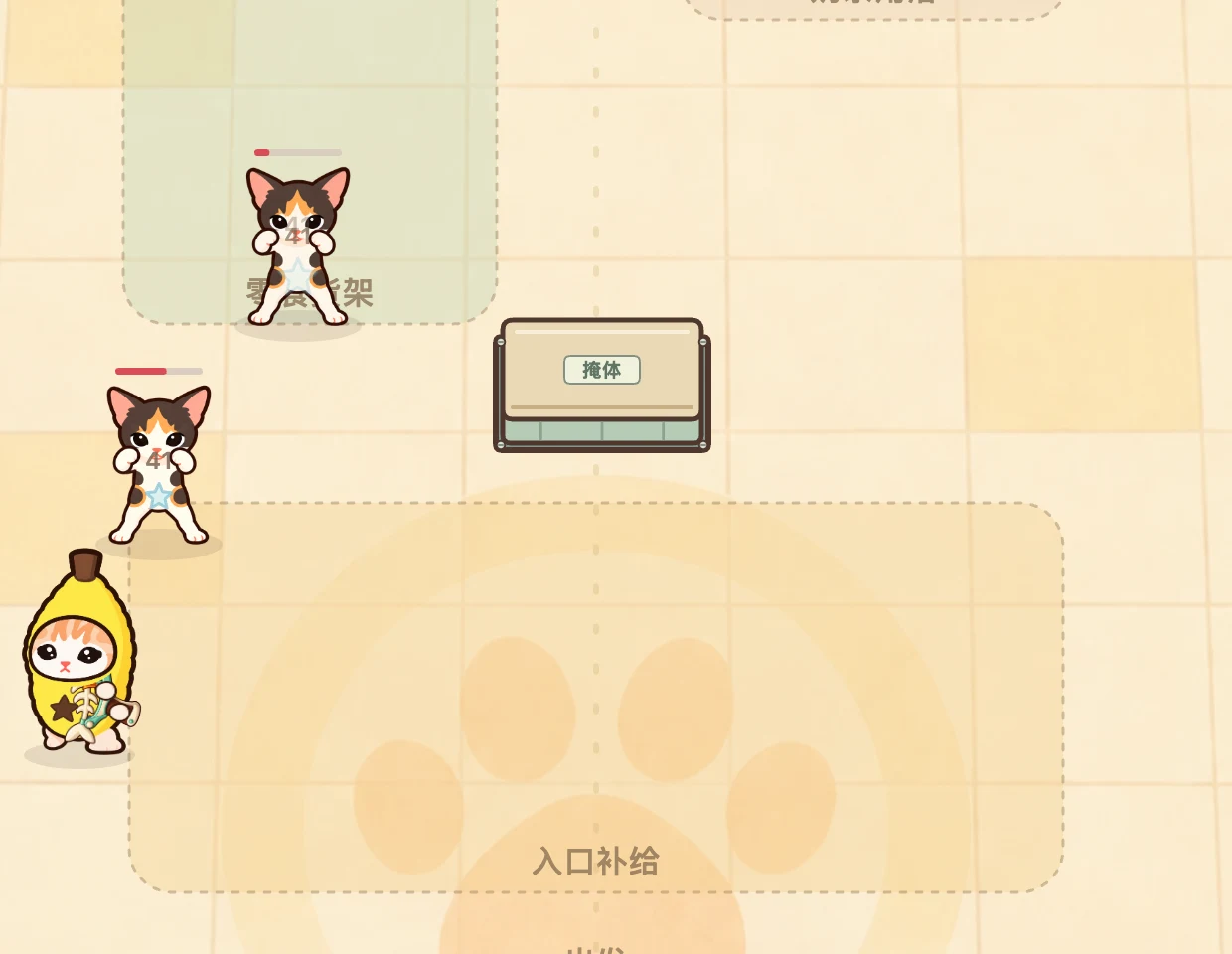
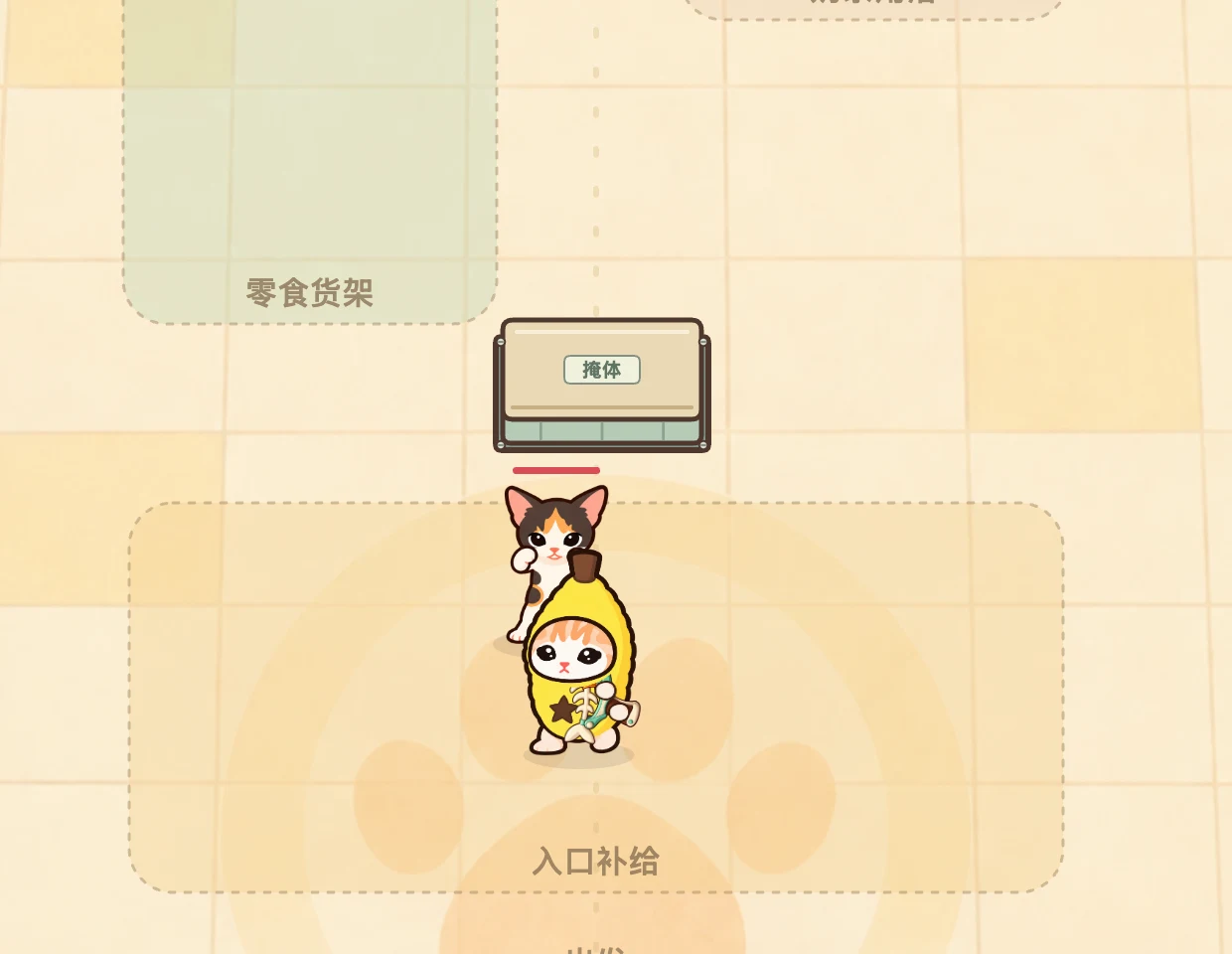
Try it: Choose an open outward lane and a nearby position with an open route back. Throw once, move across the lane, and watch the return before sending another fishbone. A safe outward throw alone does not guarantee a clear return.
Desktop: equip with Shift + 3, release fire after switching, aim at an open point and fire once. Release after launch, then move with your movement keys. Touch: touch and hold an open point on the battlefield to aim and throw. Release after launch, then move with the joystick. The fire button uses auto-aim. Only one fishbone can be active at a time.
Compare how other weapons interact with furniture before choosing a route.
Controlled mechanic demonstration using the current game’s furniture, weapons and collision rules. Targets are held still with 100 demonstration HP; the weapon is pre-equipped. Trails show the recorded shot over the final frame, not a normal room-clear run.

Candy Minelayer
CLEAR ROOM 18 · SHIFT + 4
Place a candy on a clear point within 260 units. It takes 0.65 seconds to arm, lasts at most eight seconds, and allows no more than two active mines. An available enemy within the 65-unit trigger radius can detonate it; the blast reaches targets within 105 units along clear lines.
Place the trap ahead of a walking enemy so it has time to arm, then move toward a safe route. The player and breakable objects do not trigger a mine. A blast can damage nearby objects when an enemy sets it off, but mines cannot finish a room containing only leftover objects.
Object counter still unfinished? Switch to a direct weapon and shoot the remaining breakables. Waiting beside an untriggered mine will not complete the room. Check the room-clear checklist if progress still appears stuck.
Picture guide: choose a reachable landing point
A point can be close enough and still be blocked by furniture. Check the placement line from you to the point before planning how an enemy will reach it. Dotted lines show the requested placement; the green circle marks the trigger radius, and a cross marks rejection.
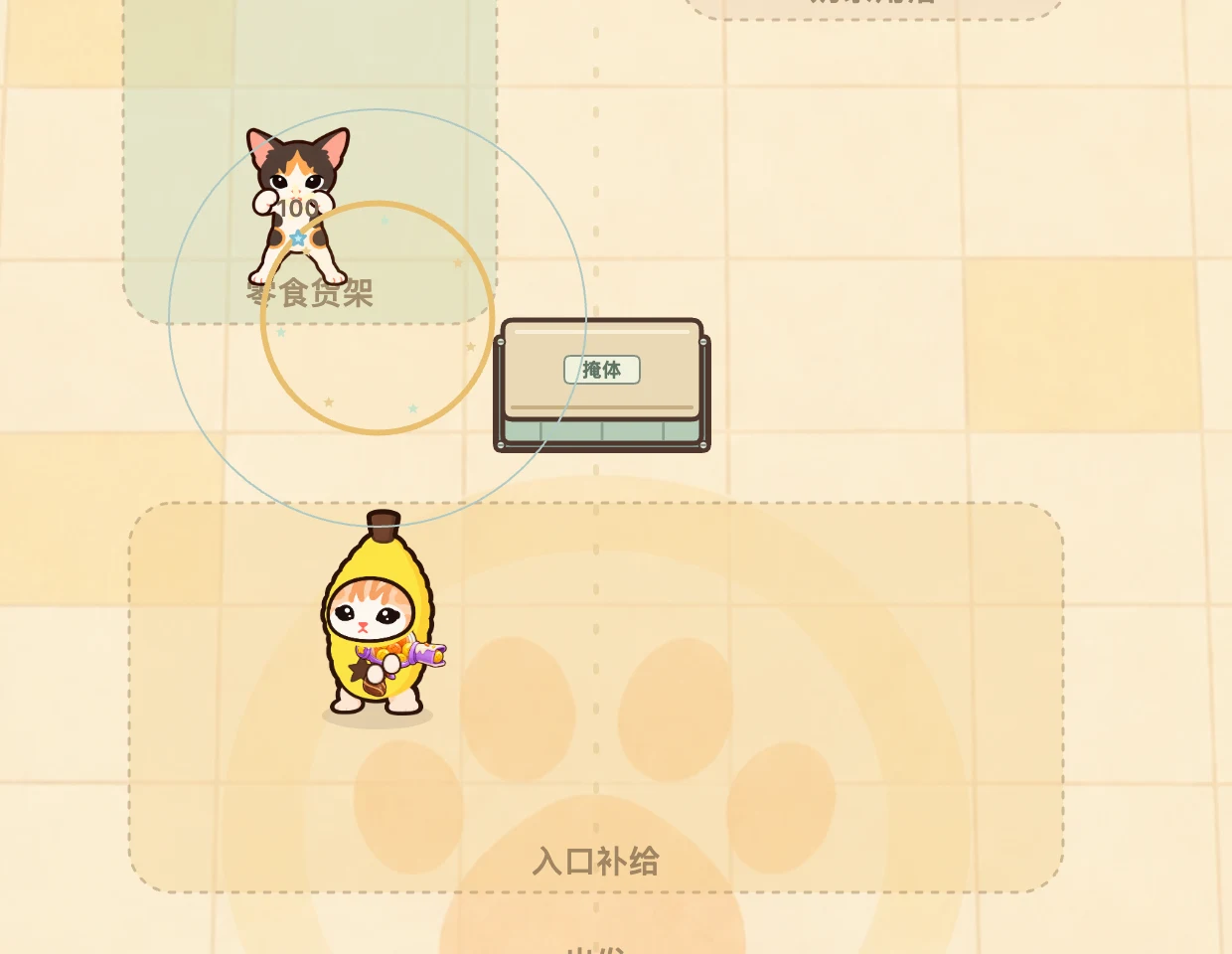
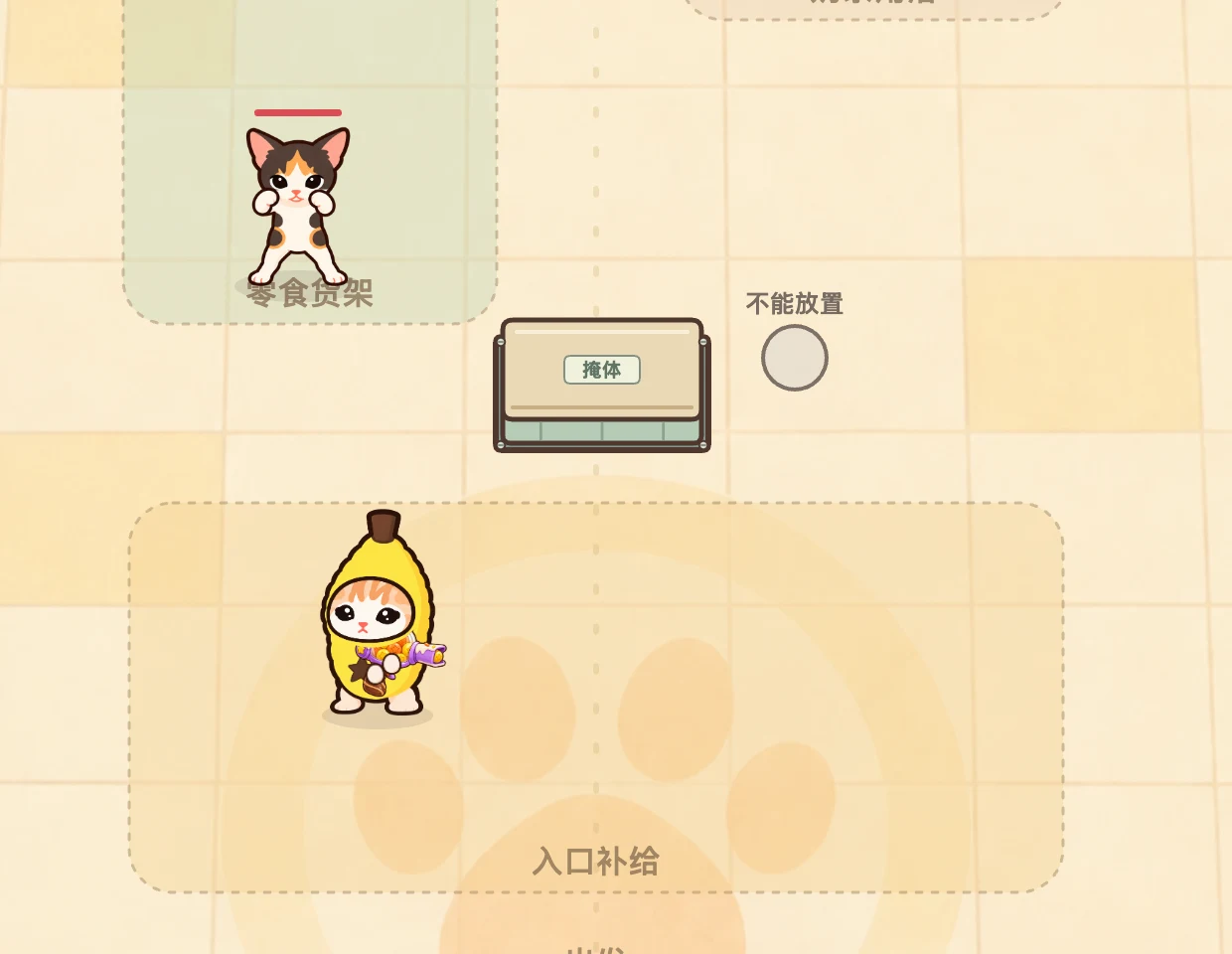
Try it: Pick clear floor within 260 units and on your side of any obstructing furniture. Place ahead of a walking enemy, allow the arming delay, and keep an escape route. You can have at most two active mines; objects alone cannot set them off.
Desktop: equip with Shift + 4 and click the landing point. Touch: drag the placement button and release, or touch a battlefield point and release there. Tapping the placement button without dragging does not plant a mine. If a clear point still will not accept a mine, wait through the weapon-switch delay and 3.2-second placement cooldown, then check the two-mine limit.
If the enemy counter is empty, switch to a direct weapon to finish the remaining objects.
Controlled mechanic demonstration using the current game’s furniture, weapons and collision rules. Targets are held still with 100 demonstration HP; the weapon is pre-equipped. Trails show the recorded shot over the final frame, not a normal room-clear run.

Feather Chain Wand
CLEAR ROOM 22 · SHIFT + 5
A hit can jump twice to nearby new targets, for up to three targets in total. The first takes 100% of the shot's damage, the second 65%, and the third 42.25%. Each jump searches within 150 units of the previous target and needs a clear line of sight.
Pick the first target near the group you want to hit. Later jumps choose the nearest eligible target, which can be a breakable object as well as a cat; they do not repeatedly strike the same target. Spread-out enemies or furniture between them can end the chain early. Against one isolated target, the two extra links give you no additional hits on that target.

Sunflower Charger
CLEAR ROOM 26 · SHIFT + 6
Hold fire for 0.75 seconds to release one charged projectile. After firing, the weapon recovers for 1.15 seconds. You can move and adjust your aim while charging; its projectile reaches 520 units.
Start a charge when you have space to dodge and a useful opening ahead. Releasing fire, switching weapons, pausing or reloading the page cancels an unfinished charge. A completed shot keeps its recovery time, so switching away and back does not bypass it. Against a boss, use the gap after an attack to aim away from the shield front rather than standing still throughout the charge.
CHECK YOUR NEXT PURCHASE
Why can’t I buy this upgrade?
Enter the numbers shown in your Arsenal to find the missing requirement and your next step. This checker uses your entries; it does not read or change your game save.
YOUR NEXT STEP
Check an upgrade to begin
See the next tier you can buy, what blocks it, and the coins needed to reach your chosen target.
Quality and refinement apply to all twelve weapons. A new weapon design unlocks for free.
Check the conditions without the tool
- Check saving. If the game shows a save warning or protection message, follow the save troubleshooting steps. A purchase must save successfully.
- End the active battle. A paused battle still blocks purchases. At a victory or defeat screen, earlier completed-room requirements remain available.
- Find the next tier in order. Quality starts at Q1 and can reach Q5. Refinement starts at +0 and can reach +5. You must own the preceding tier; reaching a room does not buy it for you.
- Match growth and room requirements. Refinement requires Growth VIII (320 objects destroyed). Both tracks require the completed room in their quality or refinement table.
- Compare coins with the next purchase. For a later target, add every unowned tier on that track. Quality and refinement have separate costs.
Three worked examples
- Q1 → Q2: with room 4 cleared and 450 coins, the 600-coin purchase needs 150 more coins. The attempt must also have ended and saving must work.
- First refinement: with room 14 cleared, 2,000 coins and 319 objects destroyed, you still need one more object for Growth VIII. Q5 is not required for refinement.
- Q3 → Q5: Q4 costs 1,200 and Q5 costs another 1,450. With 1,450 coins and room 16 cleared, the next Q4 purchase is affordable, but the full remaining path costs 2,650: you are 1,200 short of both tiers.
Trying to unlock a weapon type? Weapon designs cost no coins. Check the free weapon unlock table: destruction or room clears unlock designs; quality and refinement increase shared damage.
Shared quality upgrades: Q1 to Q5
Quality is a separate coin purchase that increases damage across the entire arsenal. You must buy the tiers in order, clear the listed room and have enough coins. Buy between battles in the Arsenal; an active room stays active when paused.
| Quality | Unlock gate | Purchase cost | Total spent | Damage multiplier |
|---|---|---|---|---|
| Q1 | Start | Free | 0 | ×1.00 |
| Q2 | Clear room 4 | 600 | 600 | ×1.25 |
| Q3 | Clear room 8 | 1,000 | 1,600 | ×1.55 |
| Q4 | Clear room 12 | 1,200 | 2,800 | ×1.90 |
| Q5 | Clear room 16 | 1,450 | 4,250 | ×2.30 |
Each multiplier is the tier's total multiplier, not another multiplier applied on top of earlier quality tiers. Quality does not change firing rate, pellet count, range or enemy health. An unlocked weapon immediately uses your current quality, so there is no need to pay again when you switch.
Late-game refinement: +1 to +5
Refinement becomes available after reaching Growth VIII, at 320 cumulative destroyed objects. You must also clear the relevant room, own the preceding refinement and have enough coins. Like quality, refinement is bought outside an active battle and strengthens all twelve weapons.
| Refinement | Room-clear gate | Purchase cost | Total spent | Total damage bonus |
|---|---|---|---|---|
| +1 | 14 | 2,000 | 2,000 | 2% |
| +2 | 18 | 4,500 | 6,500 | 4% |
| +3 | 22 | 6,500 | 13,000 | 6% |
| +4 | 26 | 8,000 | 21,000 | 9% |
| +5 | 29 | 10,000 | 31,000 | 12% |
The bonus shown is the final refinement bonus at that rank: +5 means ×1.12, not five bonuses multiplied together. Quality and refinement both apply; for example, Q5 with +5 refinement gives ×2.30 ×1.12 = ×2.576 damage relative to the same weapon and growth stage at Q1 without refinement.
Q5 and refinement +5 cost 35,250 coins in total. They are separate progress tracks with different room gates. The campaign has a finite upgrade ceiling: eight growth stages, five quality tiers and five refinement ranks. The final chapter guide covers the rooms containing the last weapon and refinement gates.
Build shared growth without losing your weapon choice
Object destruction grows a lasting meter shared by all weapons. Coins are credited when an object breaks, and its growth points are credited at the same time. Replaying a room can add new destruction progress; its first-clear coin reward remains a one-time reward.
| Growth stage | Cumulative objects | Points | New design at this milestone |
|---|---|---|---|
| I | 0 | 0 | Teardrop Pistol |
| II | 2 | 20 | Banana Blaster |
| III | 18 | 180 | Popcorn Shotgun |
| IV | 40 | 400 | Soda Sprayer |
| V | 75 | 750 | Can Rocket |
| VI | 125 | 1,250 | Rainbow Laser |
| VII | 200 | 2,000 | Shared firepower increase |
| VIII | 320 | 3,200 | Final shared growth stage |
Manually choosing a weapon keeps your preferred design while growth continues. You do not have to equip the latest unlock to receive stronger shared firepower. Fixed furniture contributes no health target, coin reward or destruction progress, so route through breakables and move around cover.
For the opening route, follow the two room objectives. If you need to continue on another day, check how local saves work before switching browsers or clearing site data.
Banana Cat weapon questions
What is the best weapon in Banana Cat?
The useful choice depends on your line of fire, distance and target arrangement. Start with the situation table: piercing for a clear line, splash or chains for a nearby group, and a direct weapon for leftover objects. Later unlocks add mechanics; they do not make earlier weapons lose shared upgrades.
Why did my gun unlock without the next growth stage?
The original six have two unlock routes: cumulative object milestones and specific room clears. A room can grant the weapon design before the destruction meter reaches its milestone. Growth continues separately, and the Arsenal shows the power your current save actually has.
Why won't my mine place or explode?
Check the placement distance, furniture, cooldown and the two-active-mine limit. On touch, drag and release the placement button instead of tapping it. Once placed, a mine needs 0.65 seconds to arm and an enemy to trigger it before its eight-second lifetime ends. Read the mine rules for the trigger and blast ranges.
Why are my shots missing behind a sofa?
Fixed furniture blocks normal and piercing projectiles. Splash, chains and mines also need clear paths for their damage. Reposition, or deliberately aim a valid single yarn bounce; firing longer does not destroy the sofa.
Why is a quality or refinement purchase unavailable?
Use the upgrade condition checker to find the missing requirement and coin shortfall. Purchases need an ended battle, the required room clear and enough coins for the next tier. Refinement also requires Growth VIII. Save protection can prevent purchases; if the game reports a save problem, follow the save guide before trying to upgrade.